
Delete Account & Data
Last updated: March 11, 2026
EverydayDeutsch gives you full control over your account and data. You can delete your account, reset your learning progress, or both directly from the app. No need to contact support.
Option 1: Delete Your Account
If you created an account for cloud sync, you can permanently delete it along with all server-side data by following these steps:
- Open EverydayDeutsch on your device.
- Go to Settings (bottom navigation bar).
- Under the Account section, tap Delete Account.
- Confirm the deletion when prompted.
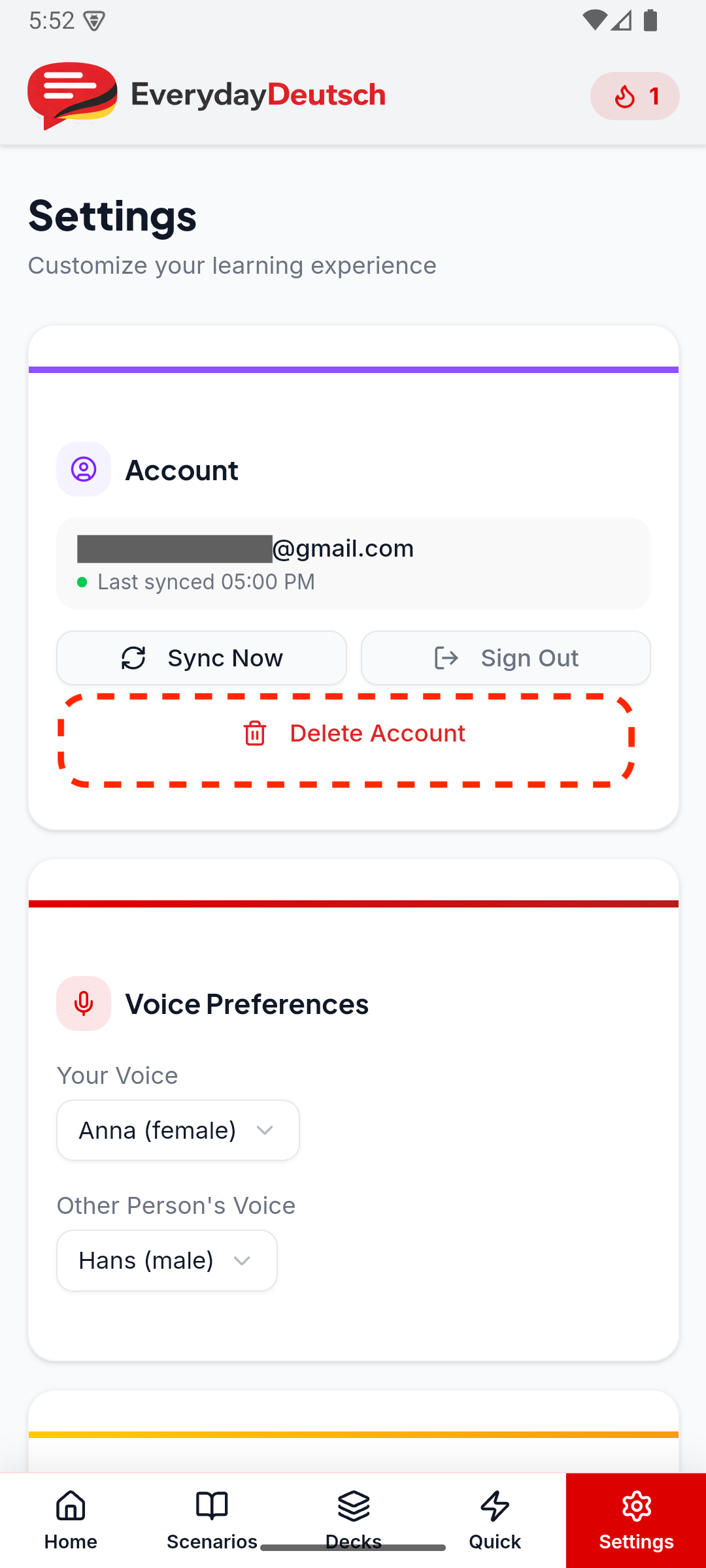
What gets deleted when you delete your account
- Your email address and authentication credentials.
- All synced data stored on our servers (study progress, vocabulary reviews, streaks, quick phrases, and settings).
What is NOT deleted
- Local data on your device (progress, settings, quick phrases) remains until you reset it separately or uninstall the app.
Retention period
Account and synced data is deleted immediately upon confirmation. Analytics data associated with your device may be retained in anonymized form for up to 90 days before automatic purge.
Option 2: Reset All Progress (Without Deleting Your Account)
If you want to erase your learning data but keep your account, you can reset all progress:
- Open EverydayDeutsch on your device.
- Go to Settings (bottom navigation bar).
- Scroll down to the Data section.
- Tap Reset All Progress.
- Confirm the reset when prompted.
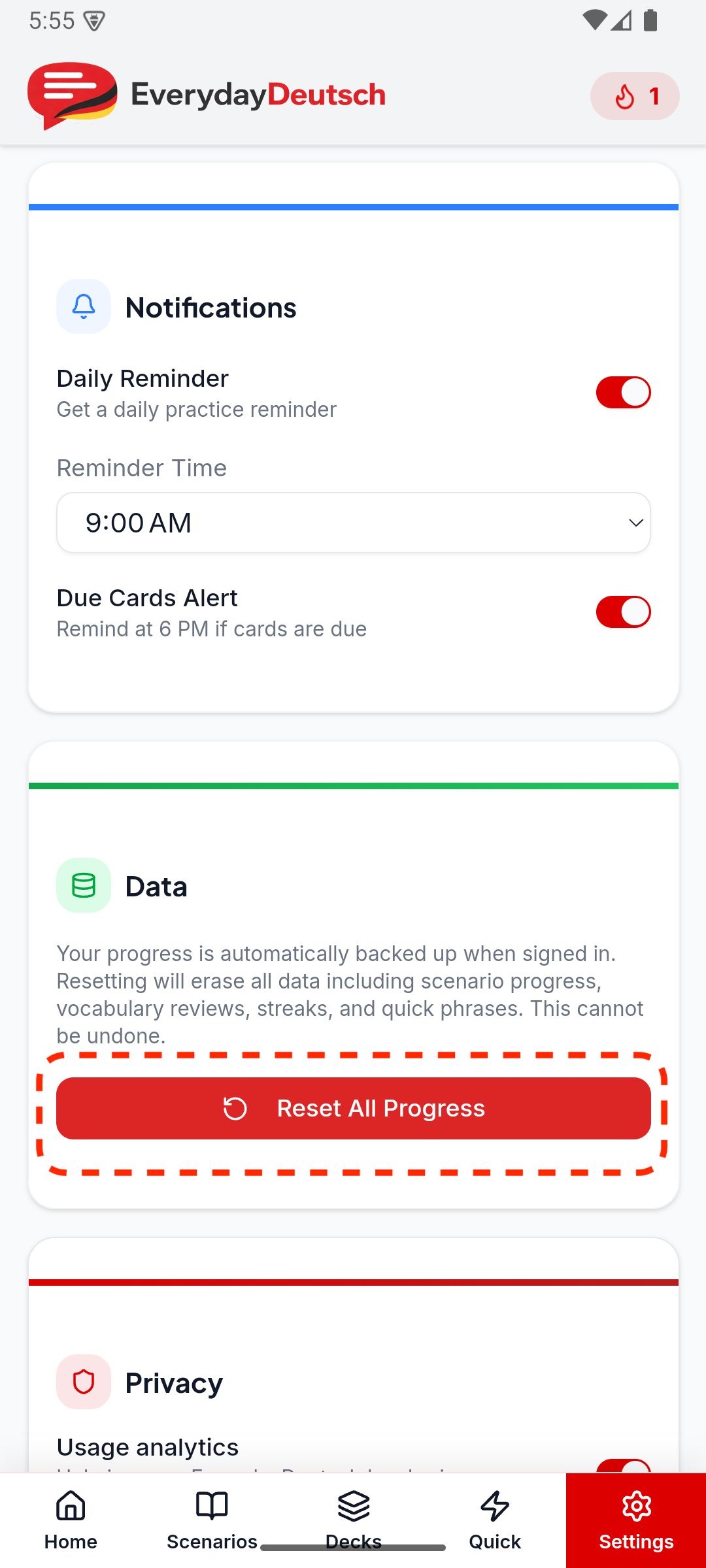
What gets erased when you reset progress
- Scenario progress and completion status.
- Vocabulary review history and SRS scheduling data.
- Streaks and study statistics.
- Quick phrases you saved.
What is NOT erased
- Your account and email (if signed in).
- App settings (voice preferences, notification settings, etc.).
No Account? No Server Data.
If you never created an account, all your data is stored locally on your device. No data is stored on our servers. You can erase everything by using Reset All Progress or by uninstalling the app.
Need Help?
If you are unable to delete your account or data through the app, or if you have any questions, contact us at contact@everydaydeutsch.com and we will process your request within 7 business days.